
Your product photos are the first — and often only — impression potential customers have before deciding whether to click, explore, or scroll past your listing. In eCommerce, where shoppers cannot physically touch or examine products, high-quality images directly influence trust, engagement, and conversion rates. According to eCommerce industry research, listings with professional product images sell up to 2.5 times more than those with poor visuals, and images optimized for zoom functionality can increase conversion rates by 30% or more.
But creating great product photos is only half the battle. Each major eCommerce platform — Amazon, Shopify, Etsy, eBay, and others — has specific technical requirements for image size, format, background, and composition. Upload images that don’t meet these standards and your listings may be suppressed, rejected, or ranked lower in search results. Meet the requirements with optimized, professional images, and you gain a measurable competitive advantage.
In this guide, we’ll walk you through exactly how to prepare product photos for every major eCommerce platform in 2026, covering technical specifications, composition best practices, and the retouching techniques that turn acceptable product images into sales-driving assets.
Why Proper Image Preparation Matters for eCommerce Success
Preparing product photos correctly is not just about compliance — it directly impacts every metric that matters for online sellers: visibility, engagement, trust, and conversion.
Higher Search Rankings and Visibility
Platforms like Amazon and Google Shopping use image quality as a ranking factor in search algorithms. Images that meet technical specifications, load quickly, and display correctly across devices signal professionalism to both the platform and potential buyers. Products with optimized images consistently rank higher in search results than those with poorly prepared photos.
Improved Conversion Rates
Shoppers rely on product images to evaluate quality, size, texture, and detail before purchasing. Images that support zoom functionality — requiring a minimum resolution of 1600-2000 pixels on the longest side — allow customers to inspect products closely, building confidence and reducing purchase hesitation. Studies show that enabling zoom increases conversion rates by at least 30%.
Reduced Returns and Customer Complaints
When product photos accurately represent what customers will receive, return rates drop significantly. Misleading, poorly lit, or low-resolution images that fail to show product details lead to disappointed buyers and costly returns. Professional preparation ensures images communicate exactly what the product looks like in real life.
Faster Page Load Times
Oversized, unoptimized images slow down page load speed, which directly impacts both user experience and search engine rankings. Google considers page speed a critical ranking factor. Properly compressed product images — typically under 300KB for product photos — ensure fast loading across all devices, particularly mobile, where the majority of eCommerce traffic occurs.
Platform-Specific Product Photo Requirements
Each major eCommerce platform has distinct requirements for product images. Understanding and meeting these specifications ensures your listings remain compliant, visible, and optimized for conversion.

Step-by-Step: How to Prepare Product Photos Technically
Once you understand platform requirements, the next step is preparing your images to meet those standards while maintaining maximum visual quality.
Step 1: Choose the Right Image Format
- JPEG: Best for product photos with complex colors and gradients. Smaller file sizes with good quality. Use for 95% of product images.
- PNG: Best for images requiring transparency or sharp edges (logos, graphics). Larger file sizes. Use sparingly for eCommerce products.
- TIFF: High-quality format, but very large file sizes. Rarely needed for web use. Convert to JPEG for web upload.
- GIF: Only for simple graphics. Not recommended for product photography.
Step 2: Resize Images to Platform Specifications
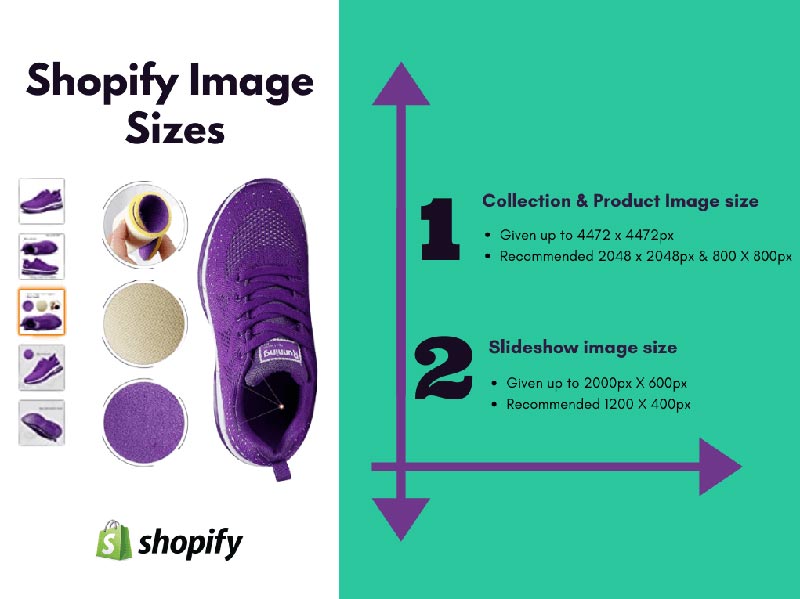
Use photo editing software (Photoshop, GIMP, or online tools like TinyPNG) to resize images to the recommended dimensions for your target platform. Always start with the largest required size (typically 2000-2048 px) and scale down if needed for secondary platforms. Never upscale small images — this reduces quality and creates pixelation.
Step 3: Optimize File Size Without Losing Quality
Large file sizes slow page load times and hurt SEO rankings. Compress images to reduce file size while maintaining visual quality. Target file sizes: 200-300KB for standard product photos, under 500KB for detail shots, under 1MB maximum. Use lossless compression tools like TinyPNG, ImageOptim, or Photoshop’s “Save for Web” feature set to 80-85% quality.
Step 4: Ensure Correct Color Space
Convert all images to sRGB color space before uploading. Most cameras and editing software use Adobe RGB or ProPhoto RGB, which can cause color shifts when displayed on the web. All major eCommerce platforms display images in sRGB. Failing to convert can result in dull, inaccurate product colors that discourage purchases.
Step 5: Set Correct DPI/PPI
For web display, 72 PPI (pixels per inch) is standard and sufficient. Higher PPI settings (300 PPI used for print) increase file size unnecessarily without improving on-screen appearance. Check your image settings and reduce to 72 PPI before upload to minimize file size while maintaining web quality.
Visual Preparation: Composition, Lighting & Background
Meeting technical specifications is essential, but great product photos also require careful attention to composition, lighting, and background to maximize visual appeal and conversion potential.
Background Requirements by Platform
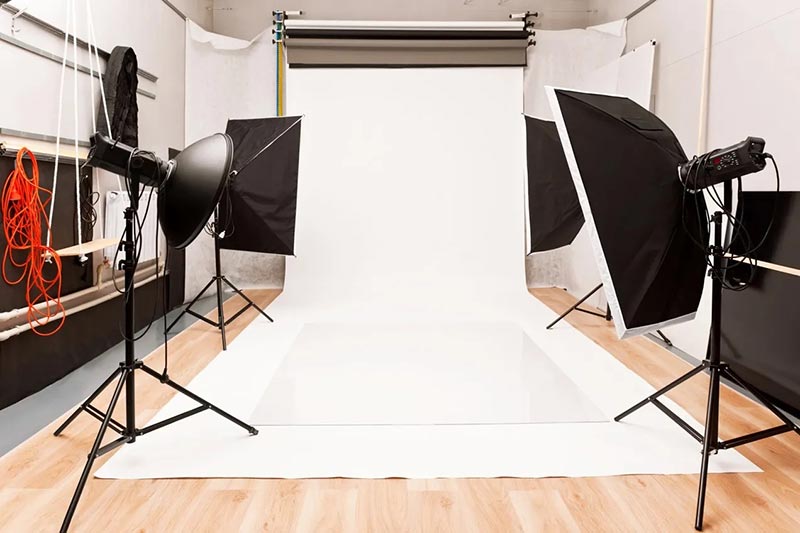
- Amazon: Pure white background (RGB 255, 255, 255) mandatory for main image. Use Photoshop or professional retouching services to achieve perfectly uniform white.
- Shopify: No strict background requirement, but clean white or neutral backgrounds perform best for product grids.
- Etsy: Creative backgrounds encouraged. Lifestyle shots, flat lays, and styled scenes perform well alongside clean product-only images.
- eBay & Google Shopping: Neutral, uncluttered backgrounds recommended. White or light gray work best.
Product Positioning and Framing
Center the product both horizontally and vertically within the frame. The product should occupy 85-90% of the image area to minimize wasted space and ensure the product is clearly visible in thumbnail views. For platforms that crop images automatically (Instagram, Pinterest, Google Shopping), leave adequate margin around the product to prevent important details from being cut off.
Lighting for Product Photography
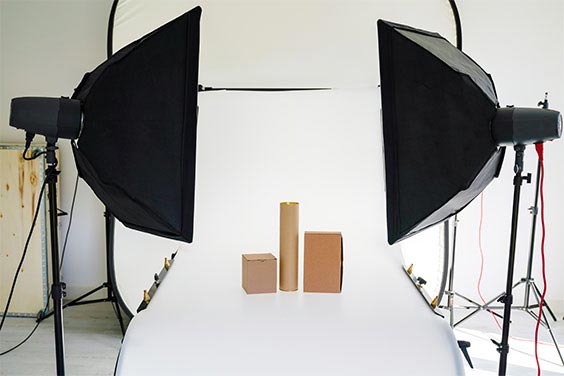
Professional lighting is critical for accurate color representation and detail visibility. Use diffused natural light or softbox lighting to eliminate harsh shadows. Avoid direct flash, which creates unflattering highlights and washes out detail. Ensure consistent lighting across all product images in your catalog for a cohesive, professional brand appearance. Color temperature should be neutral (5000-5500K daylight) to avoid color casts.
Multiple Angles and Detail Shots
Use all available image slots to show the product from multiple perspectives. Recommended image set: front view (main image), back view, side views, top/bottom if relevant, detail close-ups showing texture or features, lifestyle or in-use shots showing scale and context, size comparison or packaging shot. Platforms allow 8-24 images per listing — use as many as needed to eliminate buyer uncertainty.
Professional Retouching: The Competitive Advantage
Even well-shot product photos benefit enormously from professional retouching. Small imperfections, inconsistent lighting, and distracting elements can undermine an otherwise strong listing. Professional retouching transforms good product images into exceptional ones.
Essential Retouching Services for eCommerce
- Background removal and replacement: Perfectly uniform white or transparent backgrounds for all platforms
- Color correction: Ensuring product colors match real-life appearance across all images
- Shadow creation: Adding natural drop shadows or reflection shadows for depth and dimensionality
- Dust and imperfection removal: Eliminating sensor dust, lint, scratches, and packaging marks
- Exposure and contrast adjustment: Optimizing brightness and detail visibility without over-processing
- Image resizing and formatting: Preparing images to exact specifications for each target platform
When to Invest in Professional Retouching
Professional retouching is particularly valuable for high-value products (jewelry, fashion, electronics), competitive categories where visual quality differentiates listings, brand-building (maintaining consistent visual standards across your catalog), and when preparing images for multiple platforms simultaneously. At PhotoRetouchingUp.com, we specialize in eCommerce product photo retouching that meets exact platform specifications while enhancing visual appeal and maintaining natural product appearance.
Pre-Upload Checklist: Ensuring Compliance
Before uploading product photos to any eCommerce platform, run through this final quality control checklist to ensure compliance and optimal performance.
- Image dimensions meet minimum requirements for target platform (1000px minimum for Amazon, 800px minimum for Shopify zoom)
- File size optimized (under 300KB for standard product photos, under 1MB maximum)
- Correct file format (JPEG for photos, PNG only if transparency required)
- sRGB color space (not Adobe RGB or ProPhoto RGB)
- 72 PPI resolution for web display
- Background meets platform requirements (pure white RGB 255,255,255 for Amazon main images)
- Product centered and occupies 85-90% of frame
- No text, logos, watermarks, or graphics on main image (Amazon)
- Consistent orientation across all product images in listing
- Accurate color representation (no heavy filters or unrealistic editing)
- Sharp focus with no blur or pixelation when viewed at 100%
- Sufficient margin around product to prevent cropping on mobile
Conclusion: Professional Preparation Drives Sales
Properly preparing product photos for eCommerce platforms is not a one-time task — it is an ongoing investment in your brand’s visibility, credibility, and conversion performance. The difference between a listing that converts and one that gets scrolled past often comes down to image quality, technical compliance, and visual consistency.
In 2026, with competition intensifying across all major marketplaces, sellers who invest in professional-quality product photography and retouching gain a measurable advantage. Meeting technical specifications ensures your listings remain visible and compliant. Exceeding those standards with exceptional visual quality drives clicks, builds trust, and converts browsers into buyers.
At PhotoRetouchingUp.com, we help eCommerce sellers prepare product photos that meet exact platform specifications while maximizing visual appeal. Whether you need background removal, color correction, resizing for multiple platforms, or complete end-to-end product photo retouching, our team delivers results that drive measurable improvements in listing performance. Get in touch today to see how professional retouching can transform your product images — and your sales.